Run your own agent under maqpna dev run
Point a Python, TypeScript or Go agent at the local MAQPNA gateway with the SDK, handle denials and approvals, and report the session result.
flowchart LR
    A["maqpna dev up"] --> B["maqpna dev run -- CMD"]
    B -->|"MAQPNA_GATEWAY_URL<br/>MAQPNA_TOKEN<br/>MAQPNA_TOOL_*_URL"| C["your agent<br/>(SDK)"]
    C -->|"tools/call"| D["MAQPNA gateway"]
    D --> E["MCP servers"]
    C -->|"report_result"| D
    D --> F["timeline and audit ledger"]
Goal#
Run an agent you wrote under a local MAQPNA so that every tool call it makes goes through the gateway, exactly as it would in a sandbox in a cluster. The same code then runs unchanged in a cluster, because the operator gives each sandbox the same environment variables that maqpna dev run sets.
Prerequisites#
- A local MAQPNA from Your first governed agent:
maqpna dev upin your working directory. - A checkout of the MAQPNA repository. The SDKs are not published to PyPI, npm or a Go proxy yet, so you install them from
sdk/. - For Python: Python 3.10 or later. For TypeScript: Node.js 20.3 or later and npm. For Go: Go 1.24 or later.
What maqpna dev run gives your agent#
maqpna dev run [flags] -- CMD [ARG]... mints a session token from the local identity broker and runs CMD with these variables. The exit status is your command's.
| Variable | Value |
|---|---|
MAQPNA_GATEWAY_URL |
http://127.0.0.1:8080 |
MAQPNA_TOKEN |
A session token for agent coder, namespace dev, on behalf of you@localhost. In a cluster the operator mounts it as a file instead (MAQPNA_TOKEN_FILE, default /var/run/maqpna/token). |
MAQPNA_SESSION, MAQPNA_AGENT |
The session and agent names. |
MAQPNA_TOOL_<NAME>_URL |
{gateway}/mcp/<name> for each MCP server, for example MAQPNA_TOOL_ECHO_URL. |
OPENAI_BASE_URL, OPENAI_API_KEY, MAQPNA_MODEL_NAME |
Only with maqpna dev up --stub-llm: the gateway's model route stub and the session token as the API key, so OpenAI-SDK agents work unchanged. |
Flags of maqpna dev run change the identity in the token: --agent, --namespace, --user, --session, --scope (repeatable; default tools:<each MCP server> and models:*) and --ttl (default 1h). Policies match on these values, so use them to test a policy for a specific agent or namespace.
Steps: Python#
1. Install the SDK#
python3 -m venv .venv && . .venv/bin/activate
pip install ./maqpna/sdk/python          # path to sdk/python in your checkout
2. Write the agent#
Save this as agent.py:
from maqpna import MaqpnaClient, PolicyDenied, Result

client = MaqpnaClient.from_env()          # reads MAQPNA_GATEWAY_URL, MAQPNA_TOKEN, ...
echo = client.tools("echo")               # the MCP server "echo", through the gateway

print("tools:", [t.name for t in echo.list_tools()])
print("echo:", echo.call("echo", text="hello from my agent").text)

try:
    echo.call("delete_resource", id="db-1", namespace="kube-system")
except PolicyDenied as e:
    print("denied:", e.rule, "/", e.reason)

client.report_result(Result.SUCCEEDED, "echoed; the kube-system delete was denied")
list_tools()returns only the tools that policy lets this session see.- A denied call raises
PolicyDeniedwith the rule and reason. Catch it and let your agent change its plan; the tool never ran. report_resultrecords how the run ended. It appears in the timeline and, in a cluster, as the session's result.
3. Run it#
maqpna dev run -- python agent.py
maqpna dev: session dev-dc659728 (agent coder, namespace dev, on behalf of you@localhost)
tools: ['echo', 'get_time', 'delete_resource']
echo: hello from my agent
denied: never-touch-system-namespaces / policy_denied
maqpna dev: dev-dc659728: 1 allow, 1 deny, cost $0.0000 (maqpna dev timeline --last)
4. See what it did#
maqpna dev timeline --last
TIME      KIND       SERVER/TOOL                   DECISION  DETAIL
00:11:43  tool_call  echo/echo                     allow     default_action
00:11:43  tool_call  echo/delete_resource          deny      system namespaces are off-limits to agents
00:11:43  result     maqpna-session/report_result  observe   session_result:Succeeded
dev-dc659728: 1 allow, 1 deny, cost $0.0000 (maqpna dev timeline --last)
5. Watch it live#
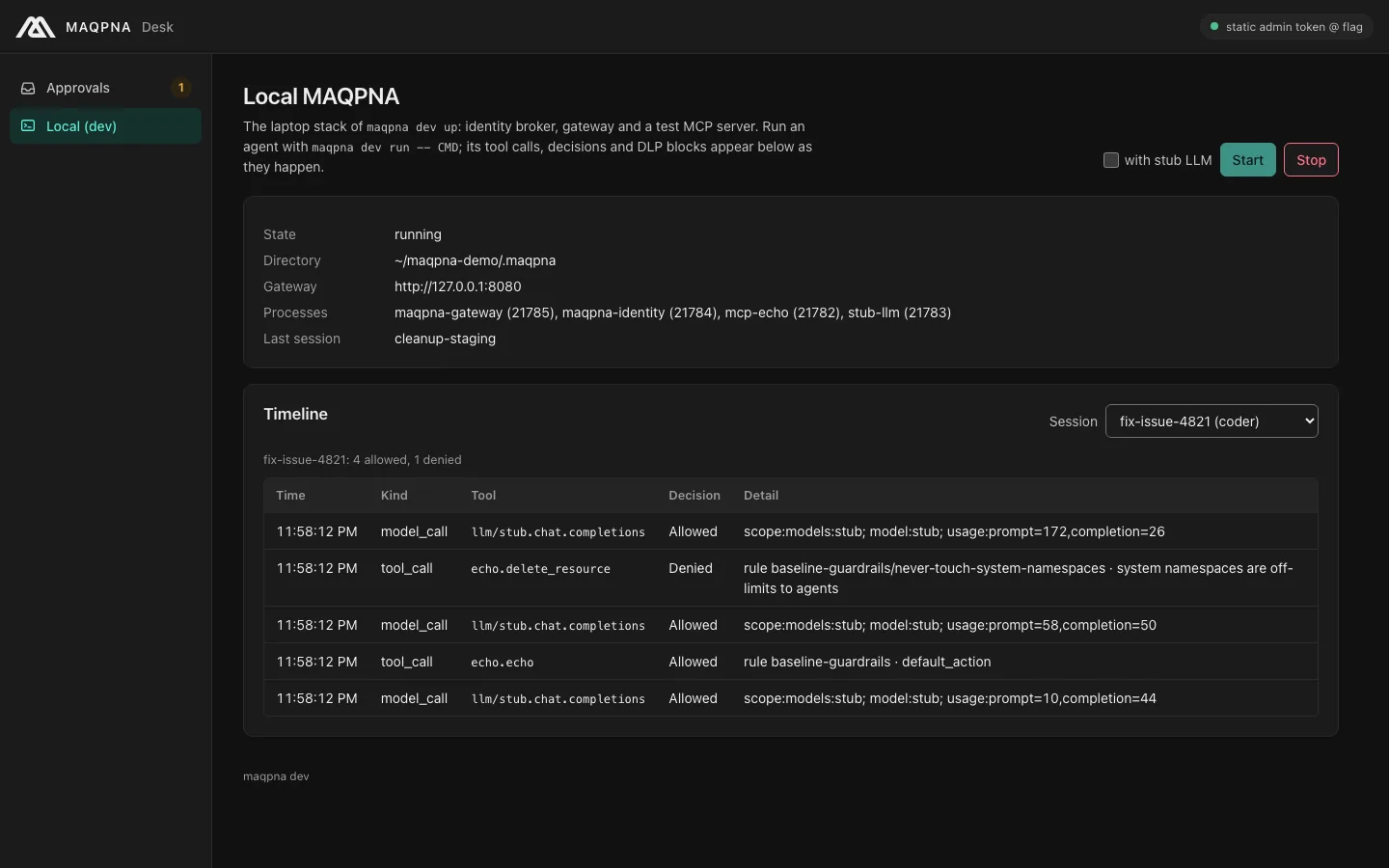
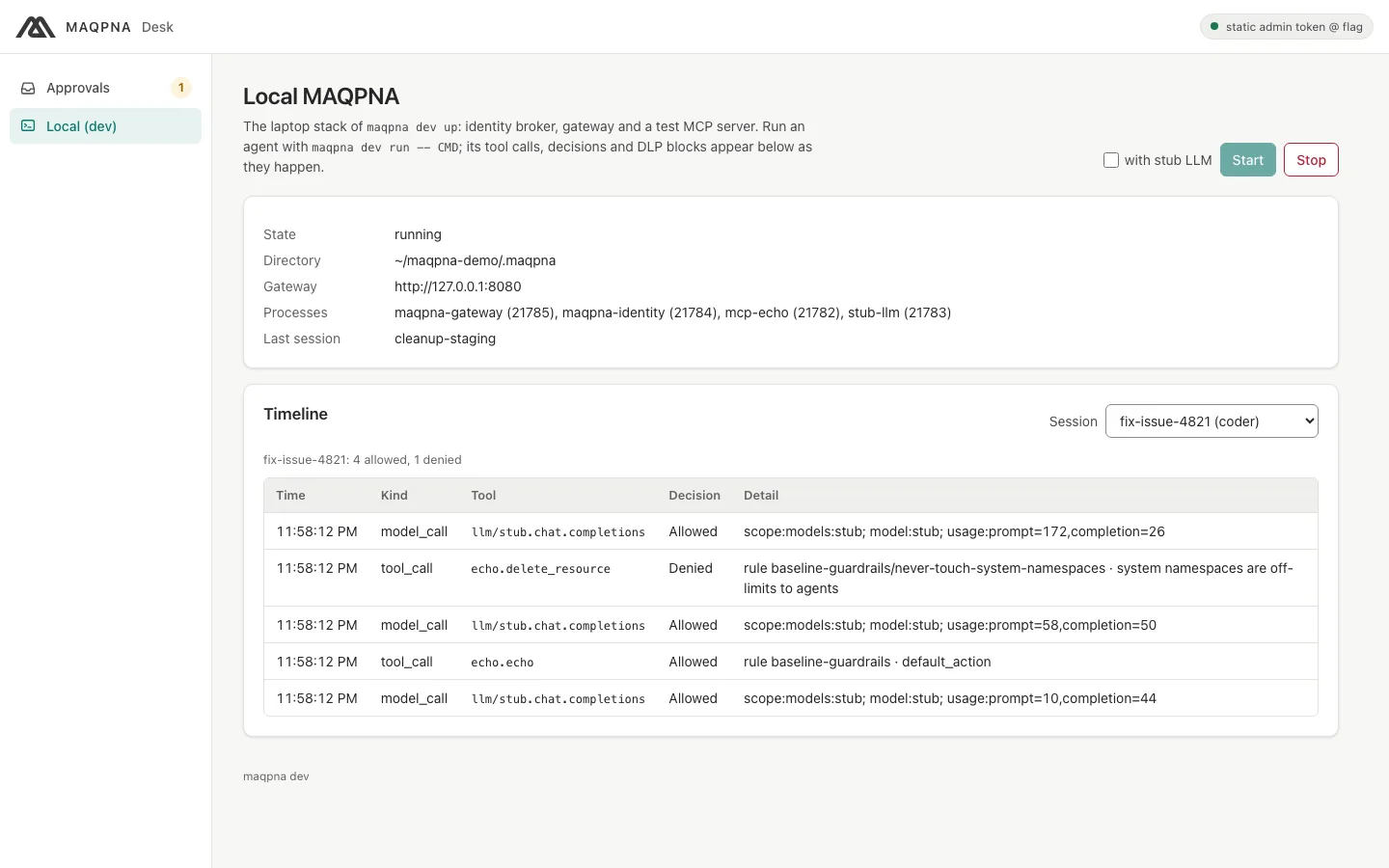
MAQPNA Desk's Local (dev) window starts and stops the local MAQPNA and follows the timeline of the last maqpna dev run session, or any other, as it happens. Run maqpna desk:
Steps: TypeScript#
Build the SDK in your checkout and install the packed tarball into your agent's project:
cd maqpna/sdk/typescript && npm ci && npm run build && npm pack    # writes maqpna-sdk-0.1.0.tgz
cd ~/my-agent && npm install ../maqpna/sdk/typescript/maqpna-sdk-0.1.0.tgz
agent.mjs:
import { MaqpnaClient, PolicyDenied } from "@maqpna/sdk";

const client = MaqpnaClient.fromEnv();
const echo = client.tools("echo");

console.log("echo ->", (await echo.call("echo", { text: "hello from TypeScript" })).text);
try {
  await echo.call("delete_resource", { id: "db-1", namespace: "kube-system" });
} catch (e) {
  if (e instanceof PolicyDenied) console.log("denied:", e.rule, e.reason);
  else throw e;
}
await client.reportResult("Succeeded", "echo ok; kube-system delete denied");
maqpna dev run -- node agent.mjs
The output has the same shape as the Python run: one allowed call, one denial with rule never-touch-system-namespaces and reason policy_denied. The full API is in the TypeScript SDK page.
Steps: Go#
The Go SDK uses only the standard library. It is its own module in sdk/go; until it is published, point your module at the checkout with a replace directive (see Go SDK). The example in the checkout runs as is:
maqpna dev run -- go -C sdk/go run ./examples/agent
maqpna dev: session dev-eee5a78c (agent coder, namespace dev, on behalf of you@localhost)
session dev-eee5a78c, tool servers [echo]
echo -> hello from the Go SDK
delete_resource in kube-system -> denied by policy: denied by policy baseline-guardrails rule never-touch-system-namespaces: system namespaces are off-limits to agents rule=never-touch-system-namespaces reason=policy_denied
reported Succeeded (annotated=false)
maqpna dev: dev-eee5a78c: 1 allow, 1 deny, cost $0.0000 (maqpna dev timeline --last)
The core calls are maqpna.NewFromEnv(ctx), client.CallTool(ctx, "echo", "echo", args) and client.ReportResult(ctx, maqpna.Succeeded, summary). Check denials with errors.As(err, &denied) where denied is a *maqpna.PolicyDenied.
Steps: any other language#
The gateway speaks MCP Streamable HTTP and an OpenAI-compatible model API, so any client works. Send the session token as a bearer token. This shell agent (examples/stub-llm/agent.sh in the checkout) uses only curl and jq:
maqpna dev up --stub-llm
maqpna dev run -- examples/stub-llm/agent.sh
maqpna dev: session fix-issue-4821 (agent coder, namespace dev, on behalf of you@localhost)
tool echo -> "hello from stub-llm"
tool delete_resource -> "denied by policy baseline-guardrails rule never-touch-system-namespaces: system namespaces are off-limits to agents"
model: Done: echoed a greeting; the delete in kube-system was refused by policy.
maqpna dev: fix-issue-4821: 4 allow, 1 deny, cost $0.0000 (maqpna dev timeline --last)
The request it sends for a tool is:
curl -sS "$MAQPNA_TOOL_ECHO_URL" -H "Authorization: Bearer $MAQPNA_TOKEN" \
  -H 'Content-Type: application/json' -H 'Accept: application/json, text/event-stream' \
  -d '{"jsonrpc":"2.0","id":1,"method":"tools/call","params":{"name":"echo","arguments":{"text":"hi"}}}'
Handle approvals in your code#
A call that a rule holds for approval either blocks until someone decides (sync mode, the default) or returns at once with JSON-RPC -32002 and an approval ID (async mode). In Python:
from maqpna import MaqpnaClient, PolicyDenied, wait_for_approval

client = MaqpnaClient.from_env()
try:
    result = wait_for_approval(client.tools("echo"), "delete_resource",
                               {"id": "db-1", "namespace": "dev"}, poll_interval=2, timeout=120)
    print("approved:", result.text)
except PolicyDenied as e:
    print("denied:", e.reason)          # approval_denied or approval_expired
Approve it from a second terminal with maqpna approvals approve ID --approver reviewer@localhost, from MAQPNA Desk or from the console.
Verify#
maqpna dev runprinted a summary line such as1 allow, 1 deny.maqpna dev timeline --lastshows your calls and aresultrow when you calledreport_result.maqpna audit verify .maqpna/audit.jsonlprintsOK.
Troubleshooting#
| Symptom | Cause | Fix |
|---|---|---|
ConfigError (Python) or a thrown ConfigError (TypeScript) about MAQPNA_GATEWAY_URL |
The agent ran outside maqpna dev run. |
Run it as maqpna dev run -- CMD, or export the variables yourself. |
ConfigError from client.model_endpoint() |
maqpna dev run does not set MAQPNA_MODEL_ENDPOINT. |
Pass the route name, client.model_endpoint("stub"), or use OPENAI_BASE_URL (set with --stub-llm). |
Unauthorized / JSON-RPC -32003 |
The session token expired (--ttl, default 1 hour) or was revoked. |
Start a new maqpna dev run. |
TransportError while a call waits for approval |
The client's 120-second request timeout is shorter than the approval timeout. | Raise the timeout or use async mode. |
Your tool is missing from list_tools() |
Policy hides tools the session may not call, and tool pinning hides drifted tools. | Check with maqpna policy test and maqpna mcp tools dev/<server> (see MCP servers and tool pinning). |
pip install maqpna or npm install @maqpna/sdk fails |
The SDKs are not published yet. | Install from the checkout as shown above. |
Next steps#
- Use a framework template for LangGraph, the OpenAI Agents SDK or the Claude Agent SDK.
- Connect MCP servers and pin tools.
- The SDK pages: Python, TypeScript, Go and Error and reason codes.
- Take the agent to a cluster: package it as an image, describe it as an
Agentand run it as a session (see Sessions).